Design & Build Custom WordPress Plugins
with AI support via Claude and Claude Code.OverviewAs part of owning Firebrand's website end-to-end — design and production — I've been building custom WordPress plugins using Claude Code as part of a broader redesign effort. Rather than wait for a full redesign to ship, I'm moving quickly: building and deploying functional, polished components now while the larger design direction develops in parallel. The two plugins featured here are a configurable logo carousel and a custom video hero.
My Role
Interactive Designer · Visual Design · AI-Assisted Front-End Development · Creative Technologist · Web Production
Carousel Plug-ins
Firebrand's partner logo section needed to do more than display a static grid. I built a configurable carousel plugin with two display modes — a continuous conveyor belt style and a stepped rotation — so the right behavior can be applied depending on context and page layout.
The plugin is designed to be easy to manage: logos are editable without touching code, and the display behavior is controlled through simple settings rather than custom dev work each time.
Key features:
Greyscale logos that transition to full color on hover
Two display modes: continuous conveyor belt or stepped rotation
Optional navigation arrows
Configurable movement speed







Conveyor belt style carousel
Step style carousel
Hero Plug-in
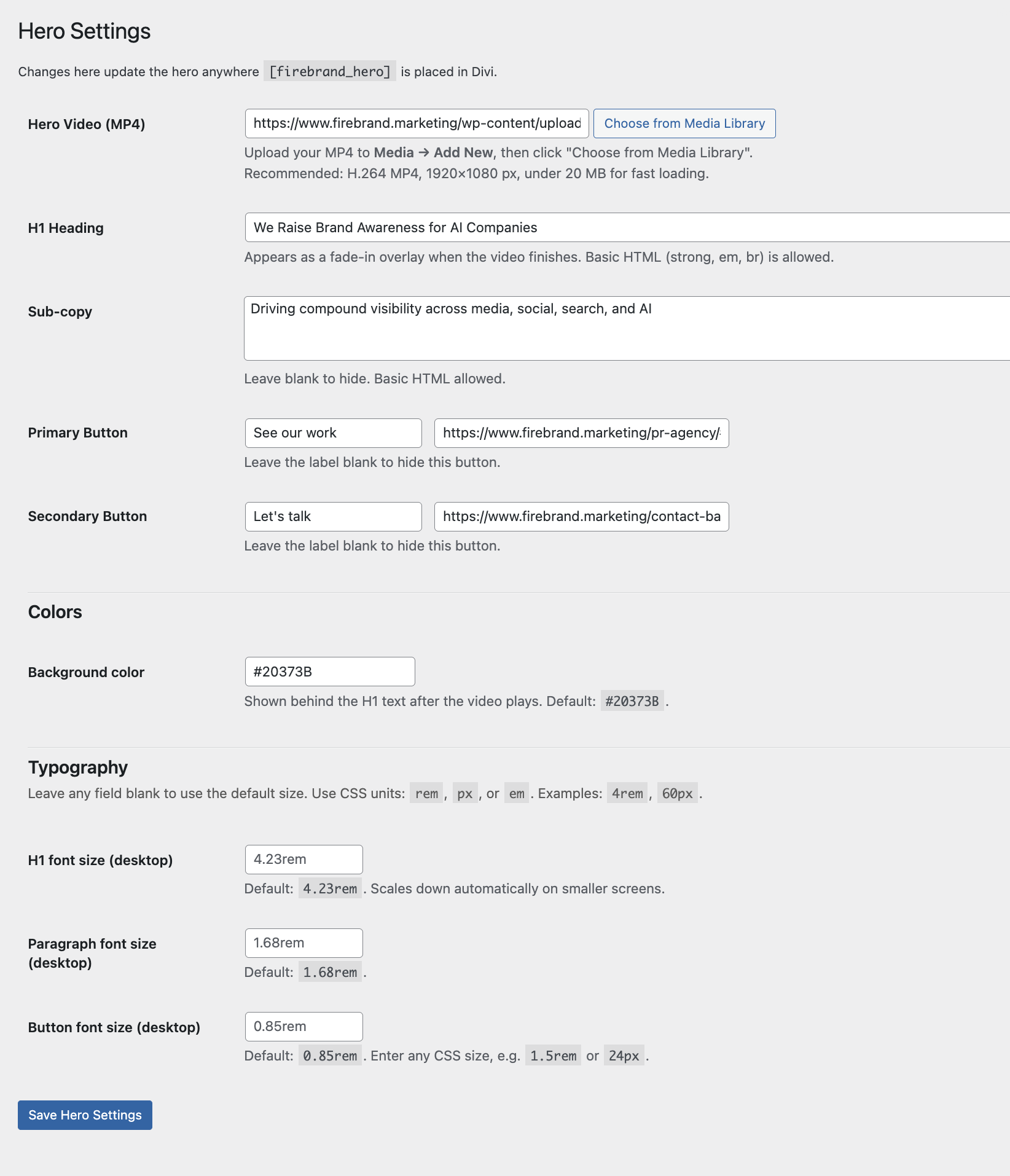
The hero plugin combines custom video with a traditional content hero in a single, seamless entry experience. On page load, a full-width video plays — art directed and lightly edited by me — then fades out to reveal a standard hero with headline, supporting copy, and a CTA.
The video component is in active testing. A few UX details I worked through: a skip button for repeat visitors who don't need to sit through the intro, and keeping the non-video elements of the hero easy to update without touching the video logic. The design of the static hero landing state is still in progress and may change.
How I Work with AI
I own the design decisions — layout, color, hierarchy, interaction model, animation timing — and use Claude Code as a development partner to execute them in code. I prompt, review, redirect, and iterate until the output matches my design intent.
This isn't AI generating something and me shipping it. It's a production workflow that lets a solo designer build and deploy interactive web components without a dedicated front-end developer — and do it faster than a traditional handoff process would allow. As the designer, I'm thinking through all three layers at once: the visual, the UX, and the backend — what's easy to edit, what's sustainable to maintain, and what actually serves the site long-term.